
Before you hire a Meta ads agency in India, ask who owns your ad account
Most businesses shopping for a Facebook or Meta ads agency compare price and portfolio. Almost nobody asks who actually owns the ad account once it's created. That single question decides whether switching agencies later costs you an afternoon, or your entire ad history.
8 questions to ask any Meta ads agency before you sign
These aren't trick questions. A legitimate agency should be able to answer every one of them in a WhatsApp message, without needing to check with anyone.
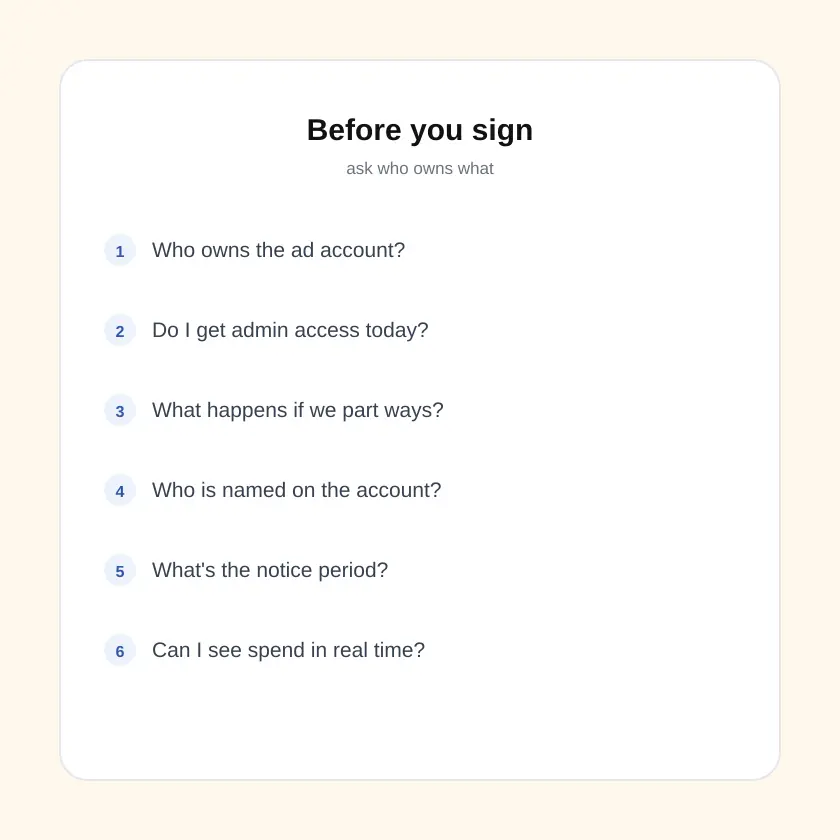
Who owns the ad account?
Not "who manages it," who owns it. Ask specifically whether it will be created inside your business's own Meta Business Manager or theirs.
Do I get admin access from day one?
You should be able to log in and see your own account, spend and audiences at any time, not just receive a monthly screenshot report.
What happens if we stop working together?
Ask this before you're unhappy, not after. Get a straight answer on what you keep: the account, the page, the pixel, the audience data built up over months.
Who is actually running my account?
A named person you can reach, or a rotating pool of junior staff who change every few months? Ask for the name of the person who will touch your campaigns.
What's the contract term and notice period?
A month-to-month arrangement with a short notice period is a healthy sign. A long lock-in with vague exit terms is worth questioning.
Can I see spend and results in real time?
Ask for direct access to Ads Manager, not just a PDF at month end. If an agency resists giving you visibility into your own spend, ask why.
What's actually tied to the invoice?
Activity like "posts published" and "ads launched," or outcomes like enquiries, bookings or cost per lead? Ask them to define what success looks like in writing.
Can you show me work in my industry?
Not just any portfolio, work for a comparable business type, with the spend and result disclosed together, not a result quoted without the budget behind it.
How ad account ownership actually works
"Ownership" isn't a marketing term here, it's a real, structural setting inside both Meta and Google's ad platforms, and it decides what you keep if you ever leave an agency.

On Meta (Facebook and Instagram)
Meta's own developer documentation on Business Manager assets draws a direct line between the two roles a business can have around an asset like an ad account: a business either owns the asset, or it accesses that asset as an agency on behalf of the business that owns it.
Source: Meta for Developers, "Business Assets," Marketing API documentation.
In practice, this means whichever Business Manager the ad account was created inside is the owner. If your agency created it inside their Business Manager and simply added you as a viewer, they are the owner and you have access, not the other way around. If the relationship ends, an agency-owned account, along with its ad history, audiences and learnings, typically stays with the agency.
On Google Ads
Google Ads works on a similar principle through what it calls a manager account. Google's own Help Centre documentation on manager accounts states that a manager account "can also be given ownership of a client account," but that ownership "isn't automatic, it must be explicitly granted," and that without it, the manager cannot change proprietary details like sign-in credentials for the client account.
Source: Google Ads Help, "About Google Ads manager accounts".
Google's documentation also confirms the exit path works in the client's favour by default: "users with administrative access to those accounts can terminate the relationship with the manager account at any time by unlinking their account." That's a meaningful protection, and it's one reason a Google Ads account is generally easier to walk away from cleanly than a Meta ad account created under the wrong Business Manager.
Source: Google Ads Help, "About Google Ads manager accounts".
Your agency gets added as a partner with admin-level access, not the other way around.
None of this means every agency that creates an account under its own Business Manager is acting in bad faith. Plenty do it for convenience when a client has never set one up before, and plenty hand access back cleanly when asked. But "convenience" is exactly why this is worth checking before you sign, not after you've spent three months and a real ad budget building an account you don't control.
5 signs an agency is set up to make leaving hard
None of these alone proves bad intent. Together, they're worth a direct conversation before you sign anything.
They avoid the ownership question directly
A vague answer like "don't worry, we'll take care of everything" to a direct "who owns the account" question is itself an answer.
You only ever see a monthly report
No live login, no direct view of Ads Manager, just a PDF once a month. That's a reporting relationship, not an ownership one.
Nothing about access is in the contract
If the agreement covers deliverables and payment but says nothing about who owns the account, the page, or the pixel, ask for it to be added before you sign.
Long lock-in, unclear exit terms
A 12-month minimum with no stated notice period, or an exit clause that doesn't mention what happens to your accounts and data, is worth negotiating.
No named point of contact
If you can't get a straight answer on who specifically manages your account day to day, you likely can't get a straight answer on who owns it either.
What to actually do before you sign
This takes one conversation before you commit, and it costs you nothing.
Set up your own Business Manager first
Before any agency touches your account, create your own Meta Business Manager and, if relevant, your own Google Ads account. This alone solves most of the ownership problem, because you decide who to add, and you can remove that access whenever you choose.
Ask the 8 questions above, in writing
A phone call answer is easy to forget. A WhatsApp or email answer is easy to hold an agency to later. Ask before you sign, not during onboarding.
Get the exit terms into the contract
Ownership, access and what happens on termination should be a written clause, not a verbal assurance. If an agency resists putting this in writing, treat that as your answer.
Start with a budget you can walk away from
Regardless of who owns what, don't commit your entire marketing budget to an unproven relationship in month one. Our Google Ads Budget Calculator and pricing guide can help you sanity-check what you're being asked to spend before you commit further.
Hiring a Meta ads agency in Mumbai or Navi Mumbai
If you're searching for a Facebook ads agency in Mumbai or a Meta ads agency near you, "local" is worth something, but it isn't the whole answer. A nearby office makes it easier to have the ownership conversation in person, visit before you sign, and get a faster response if something breaks. It doesn't automatically mean the agency structures your account the right way.
The same eight questions apply whether the agency is five minutes from your shop in Vashi or based in another city entirely. What should change with proximity is how easy it is to verify the answers, ask to see the actual account structure on a screen share, not just take a verbal assurance, whether the meeting is over coffee or over a video call.
We set up your ad account inside your own Business Manager from day one, so you keep it if we ever part ways. Comparing agencies right now? Send us these exact 8 questions on WhatsApp and we'll answer each one in writing.
Ask us on WhatsApp →Meta ads agency: frequently asked questions
Who should own my Facebook or Meta ad account, me or my agency?
Ideally you, the client. Meta's own developer documentation describes a business either owning an asset like an ad account directly, or accessing an asset as an agency on behalf of the business that owns it. If your ad account is created inside your agency's own Business Manager, your agency is the owner by default, and ownership does not transfer to you automatically just because you paid for the campaigns.
What happens to my ad account if I stop working with my agency?
It depends on who owns it. If the account lives inside your own Business Manager and you only granted the agency access, you can remove that access and keep the account, its history and its pixel data. If the account was created inside the agency's Business Manager, you may lose access entirely when the relationship ends, along with your ad history and audience data.
Is it normal for a Meta ads agency to create the ad account for you?
It happens often, especially with newer businesses, but it is worth asking exactly where that account will live before you agree. The safer default is for the account to be created inside your own Business Manager, with the agency added as a partner with admin access, not the other way around.
Does the same account-ownership question apply to Google Ads?
Yes. Google Ads documentation confirms that a manager account can be given administrative ownership of a client account, but only if that ownership is explicitly granted, and any user with administrative access to the client account can end the relationship and unlink the manager account at any time.
How much should a Meta ads agency in India cost?
It varies by business size, city and scope, and cost should never be the only factor you vet an agency on. Our separate pricing guide covers realistic monthly ranges for social media, Meta and Google ads management.
Ownership is a five-minute conversation now, or a real cost later
Most agencies you talk to will happily answer these questions, and a good answer is itself a reason to trust them more, not less. The ones who dodge a direct "who owns this account" question are telling you something before you've paid them a rupee.
You don't need to become a Meta Ads or Google Ads expert to protect yourself here. You need your own Business Manager, a written answer to eight questions, and an exit clause that says what happens to your data if things don't work out. That's it.
Ready to ask us these questions?
Send us your business type and city on WhatsApp. We'll walk you through exactly how we'd structure account access before you decide anything, no pressure, no jargon.
Ask us on WhatsApp →