
Your Meta ads leads aren't fake. They're just the wrong people
"Are Facebook ads leads fake?" is one of the most searched questions from people running Meta ads, and Reddit ranks above every marketing blog for a reason: nobody has answered it straight. Here's what Meta's own documentation actually says, and how to tell a real mismatch from real fraud before you write off the whole platform.
The question everyone asks wrong
Search "meta ads fake leads" or "facebook ads fake leads" and most of what ranks is bot-fraud detection software trying to sell you a subscription. That framing isn't wrong, click fraud and bot traffic are real problems on the open web, but it answers a different question than the one most Indian small business owners are actually asking after a bad week of Meta ads.
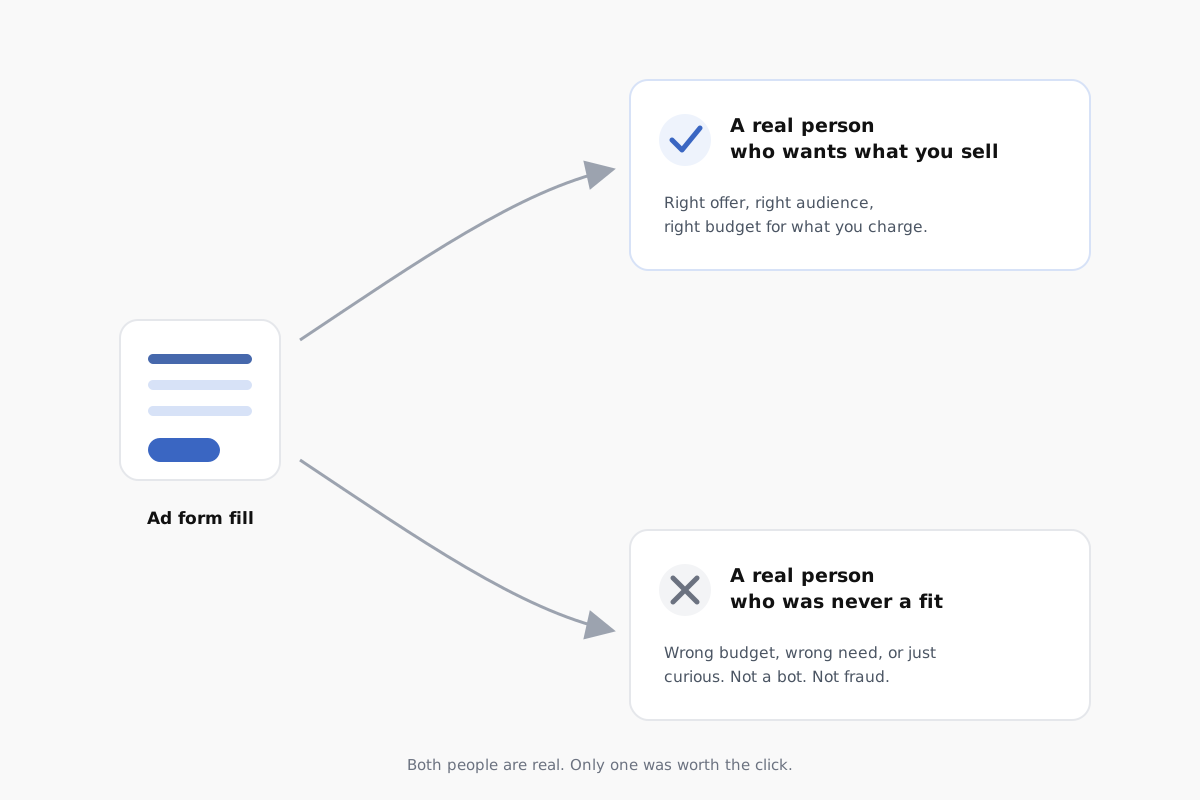
The question underneath "are my leads fake" is usually something closer to: "I'm paying for enquiries and getting people who were never going to buy from me. What's going on?" That's not a fraud problem. It's a targeting, offer and form-setup problem, and it has a specific, checkable answer.
What Meta's own documentation actually says
Meta's Business Help Center is specific about this, and most advertisers never read past the campaign-setup wizard to find it. Lead ad forms come in two configurations, and the default one is built to maximise volume, not fit.
"More Volume" is the default, and it's built for quantity
Meta's own documentation describes the default form type as designed to "make it easy for people to quickly submit the form on a mobile device, as this option is designed to generate a larger number of leads." That's exactly the setting most accounts run on by default, and exactly the setting that produces the fast, low-effort, accidental-tap submissions that get mistaken for fake leads.
Source: Meta Business Help Center, "About Instant Form Types".
"Higher Intent" exists specifically to filter this out
Meta's alternative form type is described as "focused on securing very intentional leads for people who may be interested in a specific product or service." It adds two things the default form doesn't have: inline context telling the person your business will follow up, and a review screen where they confirm their details before the form actually submits.
Meta's own wording is direct about why: these features "help you receive more intentional submissions and prevent receiving submissions from those people who are only marginally interested in your product or service." That is Meta, in its own documentation, confirming that low-intent submissions are a known, designed-around problem, not a fraud problem, and that the fix is a form setting, not a fraud filter.
Source: Meta Business Help Center, "About Instant Form Types". Note: Higher Intent forms only display in Facebook and Instagram feeds on mobile, not desktop, per the same documentation.
Real fraud vs. a real mismatch
Meta does have a formal, actively-policed definition of fake activity, and it's narrower than most people assume. Meta's Transparency Center defines Inauthentic Behavior as networks of fake accounts working together to mislead people about who is behind them, and describes how Meta detects and removes those accounts, Pages and Groups when it identifies coordinated operations.
Source: Meta Transparency Center, "Inauthentic Behavior".
That policy is about coordinated networks of fake identities, not about a genuine account belonging to a real person who filled your form out of curiosity, then never called back. Those two things get lumped together under "fake leads" constantly, but they are not the same problem, and only one of them is something Meta is actively removing from the platform on your behalf.
The gap in the middle, real accounts, real people, wrong fit, is the one incumbent "fake leads" content doesn't address, because most of it is written by bot-detection software vendors whose product only solves the fraud half of the problem.
This isn't hypothetical, business owners say it too
These are real, public accounts from people running their own ads, not composite examples.
"In January, I was getting great high-end clients at around ₹150–₹170 per lead. But after Feb 10th, the quality dropped, still getting leads, but fewer premium-budget inquiries and more price-sensitive ones. Same targeting, same creatives, same daily budget."
u/Spiritual_Score_5333, wedding decor business owner, Bangalore, on r/DigitalMarketingIndia"Generating more leads doesn't mean all are quality :)"
u/benhoverBUTBRITISH, ads freelancer, same thread on r/DigitalMarketingIndiaNeither of these is a bot-fraud story. Same account, same targeting, same budget, and the mix of who filled the form simply shifted. No fraud filter fixes that, because nothing about it was fraudulent. It's a targeting and offer signal, and it needs to be read as one.
A related, if less directly comparable, account comes from an Infotyke founder describing a paid-leads vendor relationship, not a self-run Meta ads account, but worth including because the underlying complaint is identical: "Within days, we got calls, but 99.99% were irrelevant... people looking for spas, tantriks, or massages. Absolutely zero relevance to our IT services." That case involved a JustDial paid-listing vendor, not a Meta ads campaign, so treat it as a structural analogy rather than direct Meta-ads evidence: pay for leads, get real people, get the wrong real people.
Source: Infotyke, founder account of a paid-leads vendor relationship (JustDial, India).
Check this before you blame "fake leads"
Five minutes in Ads Manager will usually tell you whether you have a fraud problem or a fit problem.
Call three leads back yourself
If the phone numbers connect and real people answer, even if they're the wrong fit, that rules out the bot-fraud explanation immediately.
Check your instant form type
In your lead form settings, confirm whether it's set to "More Volume" or "Higher Intent." Most accounts default to volume without anyone choosing it.
Look at your placements
Broad Advantage+ placements include Audience Network and third-party apps, where accidental taps are more common than on Facebook or Instagram feeds directly.
Check response time
A lead that sits unanswered for two days will look "cold" or "fake" by the time you call, regardless of how genuine the original interest was.
Compare the mix over time, not one bad week
A single bad batch of leads is often normal variance. A sustained shift, like the wedding decor example above, points to a real targeting or creative change worth investigating.
Read your ad copy as a stranger would
If your creative doesn't state price range, service area or who it's for, you'll attract broad curiosity clicks instead of qualified ones. That's a targeting-and-copy fix, not a platform fix.
Already checked all of this and still getting the wrong leads? That's usually a strategy problem, not a settings problem, and worth a second opinion.
Get a second opinion on WhatsApp →What it looks like when this is fixed
When targeting, form setup and offer are aligned to the actual buyer, the leads that come in change character, not just volume. Two examples from Nex2Link's own client accounts, reported directly from Meta Ads Manager, not projected:
- Goa Shell, a resort in Karjat: Meta ads rebuilt around the property and targeted to weekend-getaway audiences produced a 10x return on ad spend on a ₹10–20K monthly budget.
- The Blush Hour, a premium makeup artist: targeting for booking value rather than cheap enquiries produced 15–20 qualified leads per month at a ₹50–70K average booking value and a 3–5x ROAS.
Source: Nex2Link client reporting via Meta Ads Manager; figures are a typical run rate, not a guarantee for any other business. See more in our portfolio.
Neither of those numbers came from eliminating fraud, both accounts were already running on real Meta ad accounts with real people clicking. They came from narrowing who saw the ad and what it promised, until the people who filled the form were already close to being the right buyer.
Meta ads fake leads: frequently asked questions
Are my Facebook or Meta ads leads actually fake?
Usually not in the bot-fraud sense. Meta's Community Standards define a specific, narrower problem it actively polices called inauthentic behavior, coordinated networks of fake accounts, which it detects and removes. Most leads business owners call fake are real accounts and real people who filled a real form. The problem is almost always fit, not fraud: the person was curious, mis-tapped, or was never going to buy what you sell at the price you sell it.
What is Meta's "Higher Intent" instant form setting, and does it fix fake leads?
Meta's own Business Help Center describes two lead form types. "More Volume," the default, is designed to generate a larger number of leads by making the form quick to submit. "Higher Intent" adds inline context about follow-up and a review screen where the person confirms their details before submitting, which Meta states helps prevent submissions from people who are only marginally interested. It will not stop coordinated bot fraud, but it directly reduces the accidental-tap and mildly-curious submissions that most businesses mistake for fake leads.
How do I tell if a lead is genuinely fake versus just the wrong fit?
Check three things before assuming fraud: whether the phone number and name are real and reachable (genuine fraud usually fails here), whether your form is set to "More Volume" or "Higher Intent" (More Volume invites low-effort taps), and whether the lead came from broad or Advantage+ placements versus a specific interest audience. If the person answers the phone and is a real human who simply isn't your buyer, that is a targeting or offer problem, not fake leads.
Does Meta guarantee the quality of leads from lead ads?
No. Meta's documentation describes form settings and targeting tools that influence lead quality, but it does not guarantee outcomes for any individual campaign. Responsibility for targeting, offer and follow-up speed sits with the advertiser or their agency, which is also why two businesses running the same ad platform can get very different lead quality from the same monthly spend.
Should I hire an agency to fix low-quality Meta ads leads?
If you've already checked your form settings, placements and audience and the leads are still a poor fit, that usually points to a strategy problem, not a platform problem, and is worth a second opinion. Before hiring anyone, read our separate guide on how ad account ownership works and the questions to ask any Meta ads agency before you sign.
Your leads probably aren't lying to you. Your targeting might be.
"Fake leads" is a comforting explanation, because it puts the problem outside your account. Most of the time the real explanation is closer to home: a form set to volume instead of intent, an audience too broad for what you're selling, or an offer that doesn't say who it's for. All three are fixable in an afternoon, not a fraud investigation.
If you've run the checklist above and the leads are still wrong, that's the point where a strategy conversation is more useful than another platform setting. Nex2Link builds Meta ad accounts around who you actually want to reach, not just how many people click.
Want a second opinion on your account?
Send us your last month of lead ad results on WhatsApp. We'll tell you honestly whether it's a targeting problem, a form-settings problem, or something worth digging into further.
Ask us on WhatsApp →